
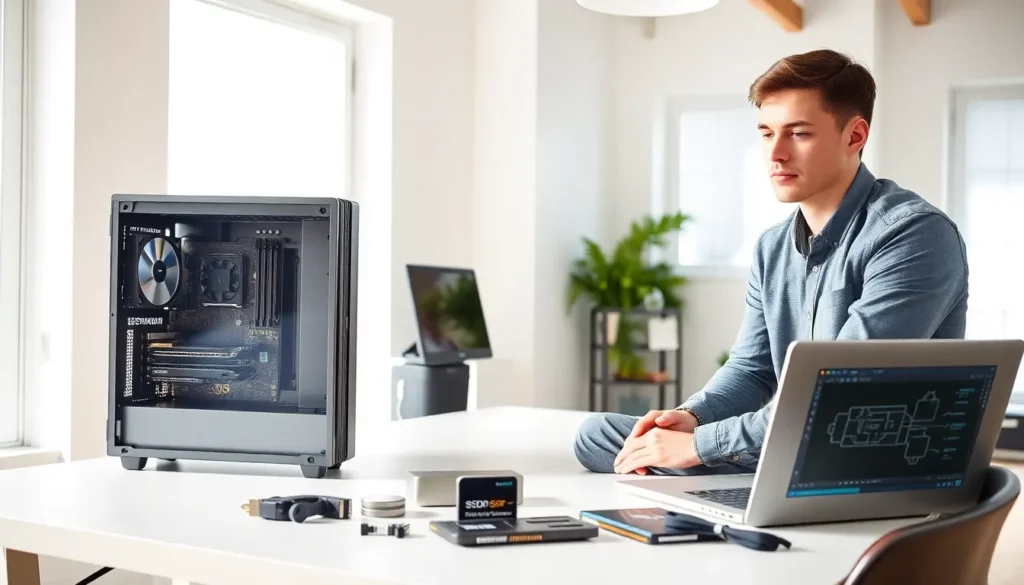
Hardware for beginners doesn’t have to feel overwhelming. Every computer relies on physical components that work together to run programs, store files, and display images on a screen. Understanding these parts helps users make smarter buying decisions and troubleshoot common problems. This guide breaks down the essential hardware components, explains how they function together, and offers practical tips for upgrades. Whether someone is building their first PC or simply wants to understand what’s inside their laptop, this article provides a clear starting point.
Table of Contents
ToggleKey Takeaways
- Hardware for beginners starts with understanding the difference between internal components (CPU, RAM, storage) and external devices (monitor, keyboard, mouse).
- The CPU acts as the brain of your computer, while RAM handles active tasks and storage drives hold files permanently.
- All hardware components communicate through the motherboard, which serves as the central hub connecting everything together.
- Before upgrading, identify your weakest component—switching from an HDD to an SSD or adding more RAM often delivers the biggest performance boost.
- Always check compatibility before purchasing new hardware, as CPUs require specific motherboard sockets and RAM generations aren’t interchangeable.
- Match your hardware choices to your intended use: basic tasks need mid-range specs, while gaming and creative work require more powerful components.
What Is Computer Hardware?
Computer hardware refers to the physical parts of a computer system. These are the components users can touch, unlike software, which consists of programs and operating systems. Hardware includes everything from the monitor and keyboard to the internal circuits that process data.
The term “hardware for beginners” often starts here because understanding what hardware actually is helps clarify everything else. Think of hardware as the body of a computer, while software serves as its mind. The body needs specific organs to function, and each hardware component plays a distinct role.
Hardware falls into two main categories: internal and external. Internal hardware sits inside the computer case. This includes the motherboard, processor, memory chips, and storage drives. External hardware connects to the computer from outside. Monitors, keyboards, mice, and printers are common examples.
Every piece of hardware communicates through electrical signals. The motherboard acts as the central hub, connecting all components and allowing them to share information. Without functional hardware, software has nothing to run on. This relationship makes understanding hardware essential for anyone who uses a computer regularly.
Essential Hardware Components Every Beginner Should Know
Several hardware components form the foundation of any computer system. Beginners should focus on understanding these key parts first.
The Central Processing Unit (CPU)
The CPU functions as the brain of the computer. It executes instructions from software programs and performs calculations. Every action a user takes, clicking a button, opening a file, running a game, requires the CPU to process information.
CPU speed is measured in gigahertz (GHz). Higher numbers generally mean faster processing. Modern CPUs also feature multiple cores, which allow them to handle several tasks at once. A quad-core processor can work on four operations simultaneously, making multitasking smoother.
Popular CPU manufacturers include Intel and AMD. Both companies offer processors for different budgets and needs. Beginners learning about hardware should know that the CPU significantly affects overall computer performance.
Memory and Storage
Memory and storage are two distinct hardware components that beginners often confuse. RAM (Random Access Memory) provides temporary storage for active tasks. Storage drives hold files permanently.
RAM determines how many programs can run smoothly at the same time. More RAM means better multitasking. Most modern computers need at least 8GB of RAM for everyday tasks. Gamers and video editors often require 16GB or more.
Storage comes in two main types: Hard Disk Drives (HDDs) and Solid State Drives (SSDs). HDDs use spinning magnetic disks to store data. They offer large capacities at lower prices. SSDs use flash memory chips with no moving parts. They load files much faster than HDDs and are more durable.
For hardware beginners, understanding the difference between RAM and storage prevents common mistakes. RAM affects speed during active use. Storage affects how much data the computer can hold long-term.
How Hardware Components Work Together
Computer hardware doesn’t function in isolation. Each component depends on others to complete tasks. Understanding this cooperation helps beginners grasp why certain upgrades matter more than others.
The process starts when a user gives a command. The input device, a keyboard or mouse, sends a signal to the motherboard. The motherboard routes this signal to the CPU for processing. The CPU retrieves necessary data from RAM, performs calculations, and sends results to the appropriate output device.
Consider opening a photo editing program. The CPU reads the program from storage and loads it into RAM. RAM holds the active program data so the CPU can access it quickly. The graphics card renders images on the monitor. All these hardware components communicate through the motherboard in milliseconds.
Bottlenecks occur when one component can’t keep up with others. A powerful CPU paired with insufficient RAM creates slowdowns. Fast storage means nothing if the processor can’t handle the workload. Hardware for beginners becomes practical knowledge when users understand these relationships.
The power supply unit (PSU) also plays a critical role. It converts electricity from a wall outlet into usable power for all components. Without adequate power, hardware fails to perform correctly or may not function at all.
Tips for Choosing and Upgrading Hardware
Selecting the right hardware depends on specific needs and budget. Beginners should assess how they plan to use their computer before purchasing components.
For basic tasks like web browsing and document editing, mid-range hardware works fine. A budget CPU, 8GB of RAM, and a 256GB SSD handle everyday activities without problems. These specifications cost less and still deliver reliable performance.
Gamers and creative professionals need more powerful hardware. High-end CPUs, 16GB or more of RAM, and dedicated graphics cards become necessary. Video editing and 3D rendering demand significant processing power. Hardware choices should match intended use.
When upgrading existing systems, identify the weakest component first. Slow load times often point to storage. A switch from HDD to SSD makes a noticeable difference. Frequent freezing during multitasking suggests insufficient RAM. Adding more memory solves this issue quickly.
Compatibility matters for any hardware upgrade. Not all components work together. CPUs fit specific motherboard sockets. RAM comes in different generations (DDR4, DDR5) that aren’t interchangeable. Beginners should research compatibility before buying.
Used and refurbished hardware offers budget-friendly options. Many components last years beyond their original purchase. But, buyers should verify seller reputation and check warranty coverage. Hardware for beginners doesn’t require brand-new parts to deliver good results.